Build your own Midi Controllers, the way you want them, for a fraction of the price of traditional ones
Learn everything you need to build MIDI controllers with buttons and knobs!
ABOUT THE COURSE
In the DIY MIDI Controller Workshop, I'll teach you, with real-life examples, the precise steps I use to build any MIDI controller I want.
At the end of this webinar you'll be able to build a MIDI controller with buttons and potentiometers (knobs), and also will know how to use this as a template to build different types of MIDI controllers, the way you want.
And all of that, without actually having to write one single line of code or any complicated stuff.
You'll learn about/how to use:
Materials
The Arduino - the brain of your MIDI controller
Buttons
Potentiometers (knobs)
A breadboard
How to design your circuit in a simulator (Tinkercad)
How to assemble your circuit in real life
How to program the Arduino
How to edit the code to what you need
Tips on how to build an enclosure
Tips on how to design your PCBs (Printed Circuit Boards)
And you can start without even having the material needed for building a MIDI controller because I’ll also teach you how to use a simulator, so you can simulate your MIDI controller in the browser.
Plus, you have access to these bonuses:
Access to our closed Facebook and Discord groups
Access to all the files of my MIDI controllers I have built, so you can build them too
WHAT THE STUDENTS ARE
SAYING AND BUILDING


AND SOME OF THEIR CONTROLLERS IN
ACTION!
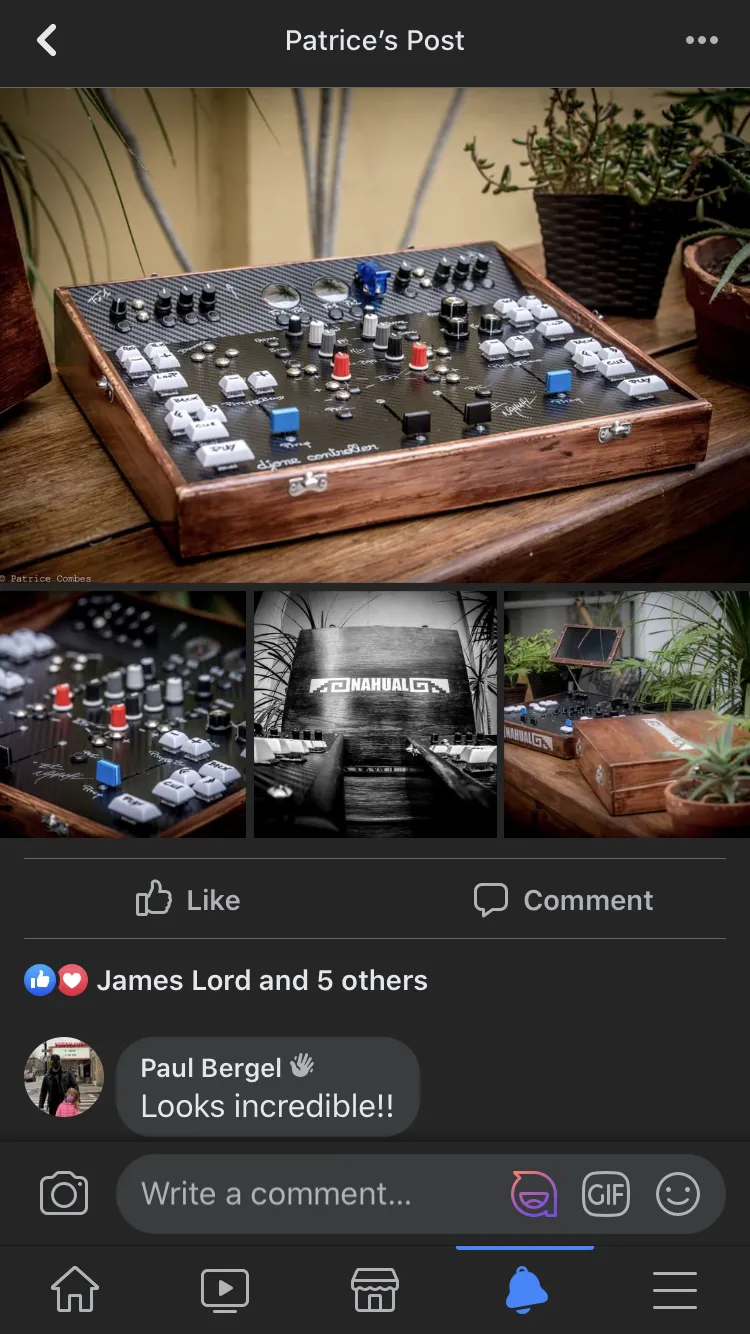
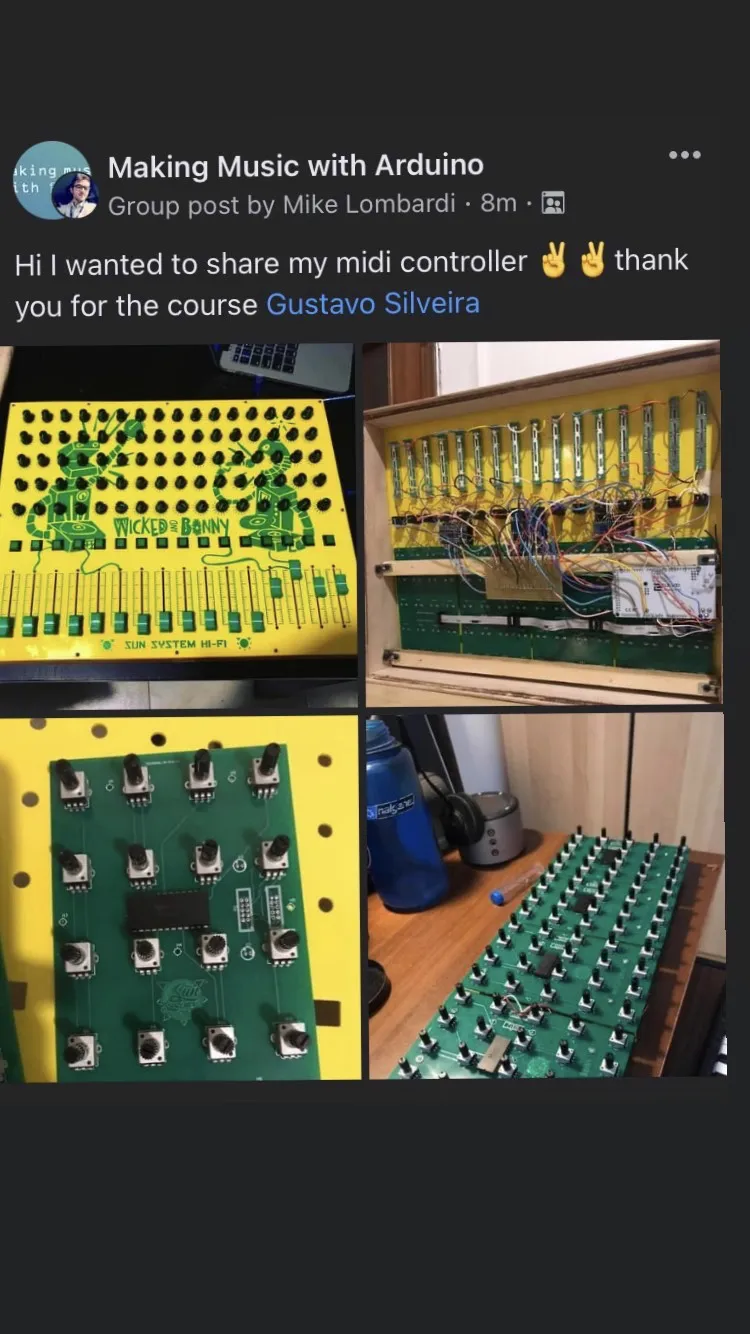
Real Students. Real Projects. Real Results.
These are real creations from real students — built with the exact methods you’ll learn inside the program.
These are prints from our students inside our closed group.👇





AND SOME OF THEIR CONTROLLERS IN
ACTION!
WHY SHOULD YOU BUILD YOUR MIDI CONTROLLERS ?
Express yourself:
Since you are here, I'm sure you love making music, or any type of art expression, right? So, have you ever wondered that you could make not only your music, but, also, the tools you use to make your music? And making them, the way you want it, would allow you to express yourself even more? And isn’t it music, art, all about expression? So, do it yourself, express yourself.
Boost you workflow:
If you use your computer to make music I'm sure you have your favorite DAWs, plugins, synths, etc. So, what if you had at the tip of your fingers dedicated controllers to each of your favorite plugins, in their same configuration, same layout? Stop wasting your time having to decide how to map your generic controller, stop wasting your time looking where that filter knob is: make your own controllers that look exactly like your favorite plugins. It will make your workflow a thousand times better!
Save money:
Building a MIDI controller is extremely cheap! Just to illustrate: for under US$40.00 you can build a complete launchpad with 16 arcade buttons. This controller in the market would cost you around US$200.00! Instead of buying one, make five! And the way you want it.
It's just the tip of the iceberg:
Learning a programming language and electronics is just the tip of the iceberg. With this knowledge you can do so much more than MIDI controllers! You can easily learn other languages, like C++, Java, Python, etc, and you can start adventuring in an infinity of other projects. Go from MIDI controllers to robotics, from art installations to web applications. For sure, this is one of the most valuables skills you can have in the market today!
Now that you know why you should build your own MIDI controllers, let me take you through our course, the Making Music with Arduino, the course that will teach you how you can make your own MIDI controllers and much more! So, let me tell you everything you should know about it: Watch the video bellow!
BY GUSTAVO SILVEIRA
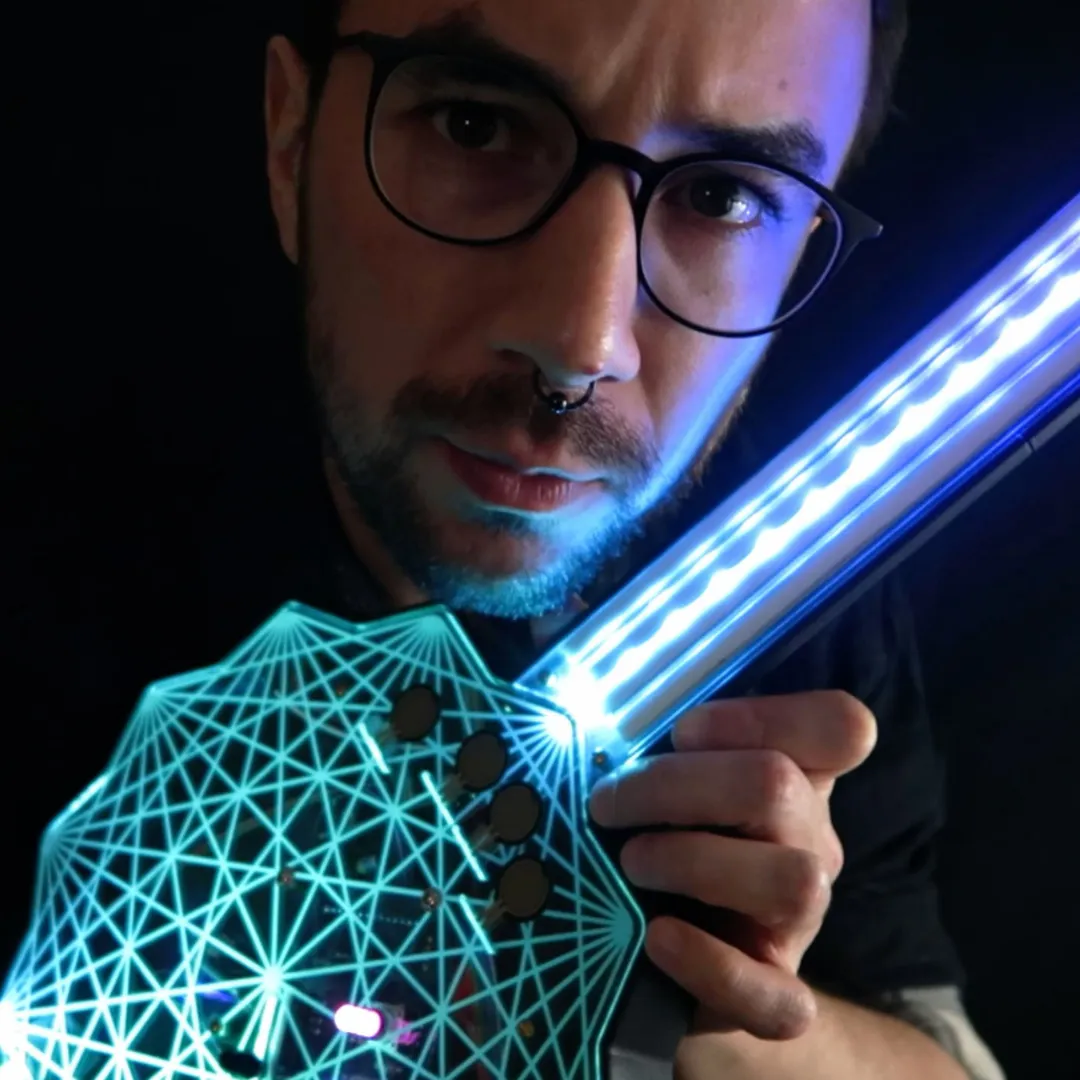
Gustavo Silveira is a composer, multimedia artist, and maker. Silveira holds a Bachelor's degree in music composition from the Federal University of Pelotas and a Master's degree in Music and Technology from Georgia Southern University in the United States.
Since 2015, Gustavo has been creating musical interfaces with Arduino, such as MIDI controllers and synthesizers, and has created the blog Músico Nerd, where he shares various open source projects and tutorials in the field.
In 2018, he was a finalist in the Guthman New Music Instrument Competition, the world's most important competition for new musical instruments, with the XT Synth. In 2019, he worked as a Human-Computer Interaction Electronics Designer at the IDIA Lab at Ball State University in the United States, creating interactive audiovisual installations.
Gustavo has presented his work as a maker at major Maker Faires such as the Bay Area Maker Faire in San Francisco and the World Maker Faire in New York, and his work has been featured on specialized websites such as Gearnews, DJ Tech Tools, and the Arduino website.
FAQ
When does the course start and finish?
The course starts now and it ends when you want! It is a completely self-paced online course – you decide when you start and when you finish.
How long do I have access to the course?
One time payment plan: How does lifetime access sound? After enrolling, you have unlimited access to this course for as long as you like – across any and all devices you own. Monthly plan: Pay monthly and have access as long as you wish, stop anytime you want.
What if I am unhappy with the course?
We would never want you to be unhappy! If you are unsatisfied with your purchase, contact us in the first 30 days and we will give you a full refund.
Will I get certificate?
Absolutely! Once you finish the course you’ll be automatically issued a certificate.
Do I have to have any experience with coding or electronics?
Not at all! The course is designed to go from the absolute basics to advanced. Classes are short and easy to understand throughout all the course.
How does the Making Music with Arduino differs from the DIY MIDI Controller Workshop and other free courses on the internet?
The Making Music with Arduino is THE ONLY course that focuses on teaching electronics and how to code, so you can have total independence in your musical projects. This course will make you a PRO MAKER, teaching you how you can write your own codes, understand other people’s codes and, also, will serve as the foundation for you to learn any other programming languages like C++, Processing (Java), Python, etc, and to get started with other electronic projects, like robotics, home automation, web applications, etc.
Can I take this course if I live outside the U.S.?
Yes, the course is available to international users!
30-DAY MONEY BACK GUARANTEE

Enrolling in the Making Music with Arduino
has ZERO RISK, you have a 30-day money
back guarantee. Your total satisfaction or
your money back, no questions, no
bureaucracy!
GET STARTED NOW
DIY MIDI CONTROLLER WORKSHOP
Lifetime access!
Single Payment of
US$27
The DIY MIDI Controller Workshop course
Access to Gustavo's codes, templates, and designs
Access to our closed Facebook/Discord groups
Gustavo's (your instructor) personal assistance when you need help with your projects
Chat with us on WhatsApp

Chat with us on WhatsApp