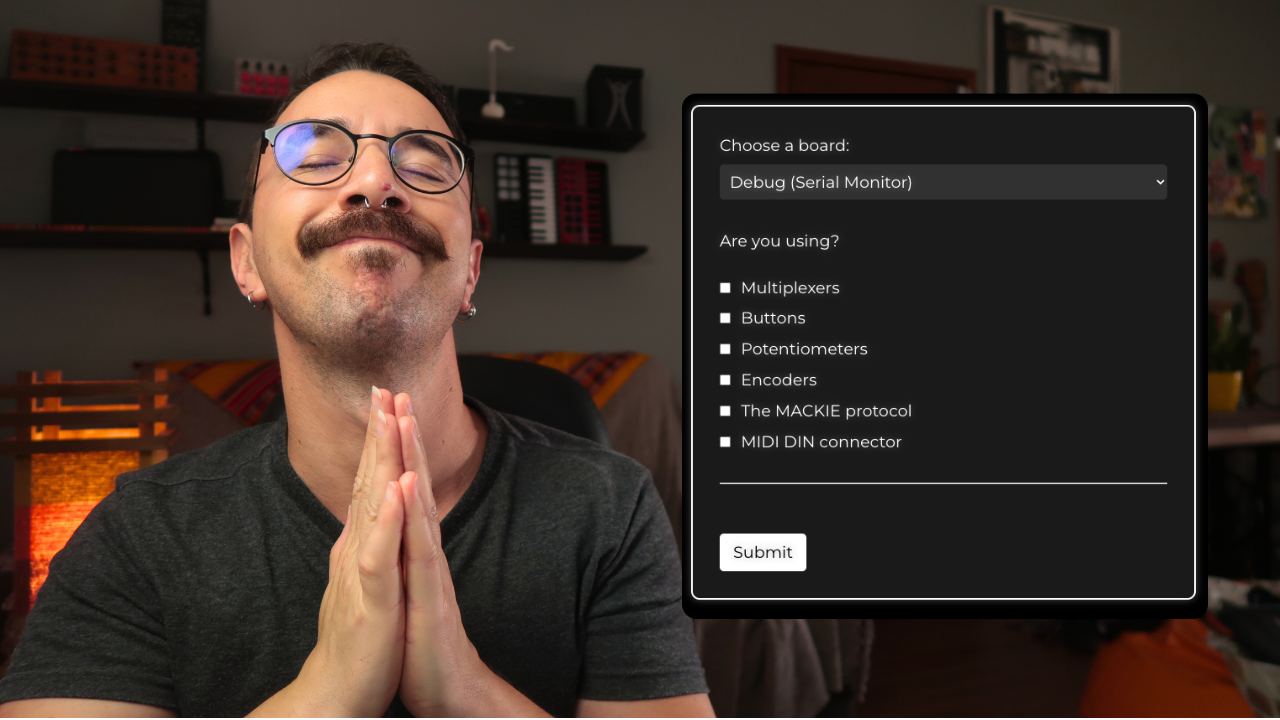
I made an ARDUINO MIDI CONTROLLER CODE GENERATOR
Intro
Greetings, makers and music enthusiasts! I'm Gustavo Silveira, and today I bring you an exciting solution to transform your coding nightmares into music-making dreams. Say hello to the Arduino MIDI controller code generator – a revolutionary tool designed to simplify your coding process and enhance your music creation experience.
Meet the Creator
Before we delve into the details, allow me to introduce myself. I'm Gustavo Silveira, your guide in the world of MIDI controllers and beyond. I've been working tirelessly on a platform that will generate Arduino code tailored to your specific needs, based on the components you're using. Let's dive into the details of this game-changing tool.
The Simple Code Generator
Configuring Your Arduino DIY MIDI Controller
As we explore the code generator, you'll notice two options: the simple one and the advanced one. Today, let's start with the simple version. Here, you can choose your Arduino board, whether it's Uno, Mega, Nano, Micro, Pro Micro, Leonardo, Tiny, or Debug. The Debug option is particularly helpful to ensure your circuit and code are in sync.
Next, select the components you're using – buttons and/or potentiometers. Input the number and pins for each component, and with a click of a button, your Arduino MIDI controller code is generated automatically. No need to decipher the complex lines of code; the generator does it all for you.
Library Options and Code Management
Once your code is generated, you have the flexibility to download libraries or copy the code directly into your Arduino IDE. The process is seamless, ensuring you have everything you need for your MIDI controller project.
Making It MIDI Class-Compliant
To transform your DIY MIDI controller into a plug-and-play MIDI class-compliant device, choose the appropriate board – Arduino Micro, Pro Micro, or Leonardo. I recommend steering clear of Hairless MIDI for Uno, Mega, and Nano boards due to compatibility issues.
The Advanced Version
Now, let's elevate our MIDI controller game with the advanced code generator.
Multiplexers, Buttons, Potentiometers, and More
The advanced version introduces multiplexers, offering expanded possibilities for your MIDI controller. Multiplexers allow you to connect more components, multiplying the inputs of your Arduino. While the simple version remains accessible for free, the advanced version provides additional features, such as encoders and more intricate configurations.
Personalizing Your MIDI Controller
With the advanced code generator, you can fine-tune every aspect of your MIDI controller. Specify the number and pins of buttons, configure multiplexer options, and even choose the type of MIDI message each button sends.
Unleashing the Full Potential
Whether you're an experienced maker or just starting, the advanced version empowers you to add encoders, multiplexers, LEDs, and other advanced configurations to your MIDI controller. It's a comprehensive tool for those seeking to create more complex and feature-rich music controllers.
Links
🎹 Nerd Musician Pro (all the courses): https://go.musiconerd.com/nerd-musician-pro
🎛️ DIY MIDI Controller Workshop (free course): https://go.musiconerd.com/diy-midi-controller-workshop
🎹 Fazendo Música com Arduino (Português): https://go.musiconerd.com/fazendo-musica-com-arduino
🎛️ Access the Basic version of the Code Generator: https://go.musiconerd.com/code-gen-basic
Bringing It All Together
In conclusion, the Arduino MIDI controller code generator is a game-changer for makers and music enthusiasts alike. Whether you opt for the simple or advanced version, you'll find a tool that streamlines the coding process and allows you to focus on the music-making aspect of your project.
Feel free to explore the free version linked in this post and, for those looking to take their skills to the next level, consider joining the Nerd Musician Pro community. There, you'll find in-depth courses covering everything from building MIDI controllers to advanced PCB design and Arduino programming.
I'm always eager to hear your feedback and suggestions for enhancing this platform further. Share your thoughts in the comments below, and together, let's continue pushing the boundaries of music-making with Arduino MIDI controllers.
Until next time, happy making!
Gustavo Silveira
